Showing posts with label eBooks/Articles. Show all posts

Tuesday, December 2, 2008

Conversation With Atheist


Title:
Conversation With Atheist
حوار مع صديقي الملحد


By:
Dr. Mostafa Mahmoud
د. مصطفى محمود

A must read book ,,,

Language:

Arabic


:الفهرس

مقدمة
-1 لم يلد ولم يولد
-2 إذا كان الله قدر عليّ أفعالي .. فلماذا يحاسبني ؟
-3 لماذا خلق الله الشر ؟
-4 وما ذنب الذي لم يصله القرآن ؟
-5 الجنة والنار
-6 هل الدين أفيون ؟
-7 وحكاية الإسلام مع المرأة
-8 الروح
-9 الضمير
-10 هل مناسك الحج وثنية ؟
-11 لماذا لا يكون القرآن من تأليف محمد ؟
-12 القرآن لا يمكن أن يكون مؤلفا
-13 شكوك
-14 موقف الدين من التطور
-15 كلمة لا إله إلا الله
-16 كهيعص
-17 المعجزة
-18 معنى الدين
-19 فزنا بسعادة الدنيا وفزتم بالأوهام


http://rapidshare.com/files/169534696/www.kalamoni.blogspot.com_conversation_with_atheist.rar


To open PDF files .. please download Adobe Reader
(latest version 9.0.0 here)

http://ardownload.adobe.com/pub/adobe/reader/win/9.x/9.0/enu/AdbeRdr90_en_US.exe

Monday, November 3, 2008

Search Engine Optimization Made Easy

Want to get 1 top ranking at Google Search? Need ton traffic to your site? Optimize your site or blog. Don't know what should be do with your blog? Download this SEO e-book and read how to optimize your blog. The creator of this free e-book is Brad Callen. I'm loving this e-book because very simple but complete, good tips and trick. So, don't waiting until tomorrow, go a head to download this e-book. File size to download is only 1.66 MB. click at the image button to download :


download here!

How To Register In Search Engines

As we know that the main reasons to write in the blog is that they hope their writing could be read by others or blog visitors. More people or visitors will make us happy and proud, especially when they give some comments on our writing. For making the people come to our blog and then read our postings are not easy. We need high publication in order to increase the traffic.

We can use many ways to make our blogs famous and get many traffics, such as blog walking or visiting others blogs. Registering to various aggregator, and the most effective ways is through the search engine.

For new bloggers, they have a wrong assumption. They might think that after making blogs, their blogs will be detected by search engine or listed in all sorts of search engine automatically. The fact is not like that. Like a school, we absolutely have to register in that school so that our name is listed in a student list. Just as a search engine, to make our blog detected by search engine, we have to submit our blogs to some search engines.

There are many search engines here and recently, the most famous ones are Google, yahoo, and Msn. If we want our blog detected by them, we have to submit our URL blog to them.

Now, have you submitted your blogs to the search engines above? Or you still don’t know how to submit your blogs. Just follow the tutorials below.


Register in Google

To register in Google, please visit http://www.google.com/addurl/, and if you are in registering page, you must fill in available form;

  • URL --> Fill in your URL blog
  • Comments --> Fill in the related keywords to your blogs.
  • Fill in the blank square with the verification code available.
  • Click Add URL.
  • Finished

As soon as your submission to Google, it doesn’t mean that your blog would have an index in Google search engine. It will need about 3 until 4 weeks for new blog to be able to have an index. After 3 or 4 weeks, try to type your URL blog in Google search engine. If your blog still can not be detected, you will have to wait for a couple of week again. If it is not detected yet, you must submit your blog again as the steps above.

Or, you might not be patient and want your blog detected soon by Google search engine. Actually, it could happen only in 3 or 4 days. Would you like to know how? Just read my upcoming post in 1 or 2 days…ok.


Register in Yahoo

In order to register in yahoo, please visit this site https://siteexplorer.search.yahoo.com/submit. Before registering here, make sure that you have yahoo account. Why you need yahoo account? Because to register here, you need to log in to your yahoo account. If you still don’t have any yahoo e-mail, click here to make one first. And if you have e yahoo account, you just need to log in with your username and password. As soon as you log in, you will see a column. Just fill in the column with your URL blog, then click Add URL and done.

If you want to add your feed address too, you can do it here. Remember, you only need to add atom.xml behind your URL blog in order to get feed address of your blog, example; this blog blog has feed address as follow; http://kalamoni.blogspot.com/atom.xml.


Register in MSN

Please visit http://search.msn.com/docs/submit.aspx?FORM=WSDD2 to register in Msn. Just fill in the verification code and your URL blog in the available square, then click submit and finished.

If you want more search engines and your URL blog can be detected by many search engines, you can use submitter site. and the best one is this:


http://freewebsubmission.com/


Your job is only adding your URL blog, and then writes your e-mail. Then click Submit Your Site.

Saturday, November 1, 2008

How to make your blog appear in Google search

You can now add Google sitemap to your blogger.com account and increase your chances of being indexed in Google search engine result. You can add a Sitemap to your account to give Google more information about the pages in your site to help Google crawl them more effectively.

Step # 1:

Login to sitemap account


At the top of screen you will see option to add site. Just paste URL of your blog (for example http://kalamoni.blogspot.com/)

Click on Ok button. Next you will get confirmation message. Your site has been added to your account.


Step # 2:
Now you need to verify your ownership of blog to view detailed statistics. Click on verify link. Google offers two methods of verification. You can either upload an HTML file with a name we specify (which is not possible with Google Blogger account), or you can add a META tag to your site’s index file. Adding META tag via template code is possible so just select Add a META tag from drop down menu.


It will generate code for you, copy the meta tag and paste it into your blogger.com template section.


Step # 3:

Go to your blogger.com and login to your account. Goto your blog > Click on Template
Paste the META tag code after section.

Click on Save Template changes button

Click on Republish Index only button > Wait for few seconds so that your blog being published successfully.


Step # 4:
Now go to sitemap account and click the box that read as follows:

I’ve added the META tag in the home page of http://kalamoni.blogspot.com/. Click on Verify button.


Step # 5:
Now your site is added to sitemap account and verification is done. Next you need to add actual sitemap url. Since blogger.com account don't allow you to create a text file or anything else you need to add your site feed (ATOM xml) file as a site map. Click on add a sitemap link.


Step # 6:
You can add a Sitemap to your account to provide Google additional information about your blog. Google will process your Sitemap and provide information on any errors in the Sitemaps tab as well your sitemap will be downloaded everyday to index your blog fast.
Select type as : Add General Web sitemap

Now you need to add Atom 0.3 feeds. Generally, you would use this format only if your site already has a syndication feed and this is the only way to add sitemap to your blogger.com account.

Paste url of your Atom feed: For example http://kalamoni.blogspot.com/atom.xml and click on Add Web sitemap.


** If you are using the redirect option on your feed, you can add a query parameter to stop the redirect on your feed in the format of:

http://kalamoni.blogspot.com/atom.xml?redirect=false


That will keep the feed from redirecting and is now usable as a sitemap


**
Previously the root-level Blogger feeds did not accept any query parameters, but when Blogger added the redirect=false one, they also seemed to open up those feeds to all the known Blogger query parameters. And that's how you can submit more than the standard 25 posts. and you can overcome that by using this format:

atom.xml?redirect=false&start-index=1&max-results=100

and as you can see. i set the max results to be 100 posts. and you can use a larger number. lets say billion posts (1,000,000,000) :D

so, we will write that the max number is billion in order not to bother ourselves with sitemapping anymore. and the final format will be:

http://kalamoni.blogspot.com/atom.xml?redirect=false&start-index=1&max-results=1000000000


You will get confirmation:
You have added a Sitemap to http://kalamoni.blogspot.com/. Reports may take several hours to update. Thank you for your patience!

And you are done and your blog will be now index very fast (depend upon your posting and content).

Google will automatically download the sitemaps (usually about once a day) and if you've made a new post it should get added to the mix.

Sunday, October 26, 2008

Harry Potter (All 9 Books)


8th Book being the ‘Fantastic Beasts and Where to Find Them’ Comic Relief special
9th Book being the ‘Quidditch Through The Ages’

Harry Potter is a heptalogy of fantasy novels written by British author J. K. Rowling. The books chronicle the adventures of the eponymous adolescent wizard Harry Potter, together with Ron Weasley and Hermione Granger, his best friends from the Hogwarts School of Witchcraft and Wizardry. The central story arc concerns Harry’s struggle against the evil wizard Lord Voldemort, who killed Harry’s parents in his quest to conquer the wizarding world, after which he seeks to subjugate the Muggle world to his rule.


Dowload Free Harry Potter (All 9 Books)
Rapidshare Link

http://rapidshare.com/files/136097124/HarryPAndTheHalf-FunkyType-.rar
http://rapidshare.com/files/136097122/HarryP-GobletOfFire-FunkyType-.rar
http://rapidshare.com/files/136097113/HarryP-OrderOfThePhoenix-FunkyType-.rar
http://rapidshare.com/files/136097107/HarryPAndThePrisonerOfAzkaban-FunkyType-.rar
http://rapidshare.com/files/136097106/HarryP-QuidditchThroughTheAges-FunkyType-.rar
http://rapidshare.com/files/136097102/HarryPATheDeathlyHallows-FunkyType-.rar
http://rapidshare.com/files/136097099/HarryPAndTheChamberOfSecrets-FunkyType-.rar
http://rapidshare.com/files/136097086/HarryP-SorcerersStone-FunkyType-.rar

Megaupload Link
http://www.megaupload.com/?d=6GJ140PR
http://www.megaupload.com/?d=S30OCU6V
http://www.megaupload.com/?d=UBPHAFR1
http://www.megaupload.com/?d=3FPIKQNL
http://www.megaupload.com/?d=Q0MXHFJP
http://www.megaupload.com/?d=E6FBEPXQ
http://www.megaupload.com/?d=SDXAEAEX
http://www.megaupload.com/?d=00S482YM
http://www.megaupload.com/?d=2F5KKJEJ

Easy-Share Link
http://w14.easy-share.com/1701171204.html
http://w14.easy-share.com/1701171210.html
http://w14.easy-share.com/1701171218.html
http://w14.easy-share.com/1701171223.html
http://w14.easy-share.com/1701171243.html
http://w14.easy-share.com/1701171254.html
http://w14.easy-share.com/1701171266.html
http://w14.easy-share.com/1701171272.html
http://w14.easy-share.com/1701171279.html

Friday, October 24, 2008

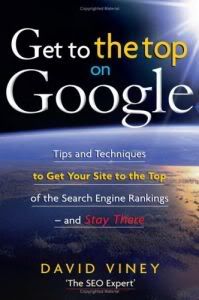
Get to the Top on Google


Get to the Top on Google: Tips and Techniques to Get Your Site to the Top of the Search Engine Rank
Nicholas Brealey Publishing | ISBN: 1857885023 | 2008-05-01 | PDF | 240 pages | 2.2 Mb

Written in a clear, non-technical, style by a leading expert in SEO (search engine optimization), GTTTOG explains techniques and strategies proven to return higher search engine rankings and sales. It addresses all aspects of search engine marketing and includes an assessment of the impact of Web 2.0 on Internet search strategies.


http://rapidshare.com/files/144850732/thugian247.net_GtTtOGoogle.rar

or

http://www.megaupload.com/?d=FE5YGF7V

5 Ways to Improve Your Clickthrough Rates

You might be very disappointed with your advertisement earnings because you did not get a single click from one thousand (1,000) people who visited your website. Don’t think of quitting ad serving; it is very profitable if you know how to serve your ads wisely.

Let’s talk about CTR (Clickthrough rates). CTR is the percentage of surfers who clicked ads compared to the number of visitors to your site.

CTR = Number of Clicks/Number of Visitors

To increase your CTR, more people must click on your ads. So how do we increase the clicks? I’ll give 5 ways to improve your CTR, and after you read this post, you’ll be able to earn more money from ad serving (hopefully… :P ). The tips might be common for some, but this article aims to help newbies as well.

Note: Some of the methods to improve your CTR might be against the terms of service of your ad network, so check first before doing the tips!

Okay, here we go:

Blend your ads. Some people do not know how blending can be very effective. The best way to get your ads noticed by your visitors is by making them look like they’re a part of the site, so don’t let your ads stand out, let them blend. If your ads’ appearance is similar to your site’s look (the color of links, font face, etc.), the visitors would most likely click your ads.

Placement is the key. How will people click your ads if they can’t be seen? Hah, don’t expect money if you’re too shy to show your ads! Placement is a VERY important factor in making money through ad serving. Put your ads where people can easily see them. Place it in your site’s header, the top portion of your sidebar, or anywhere you want but make sure that they are visible.

Use images alongside your ads. AdSense users, sorry, you cannot do this. To the others, let’s get it on. As the saying goes, a picture is worth a thousand words. If you put relevant images together with your ads, people will have different interpretations of the picture, they will be curious why the picture was beside the ad, and they would most likely click the ad. Images can also help communicate the message of the advertiser to the people, so the ad can be better understood with ‘visual aids’.

Place videos beside ads. Well, videos can also increase your CTR! Place related videos beside your ads and for sure, people will think that the ads are “more about the video” or something like that. In effect, the advertisements will get more clicks!

Use the right words. Sometimes, webmasters use “Advertisements” or “Sponsored Links” as the title for their ad units, but these actually decrease the number of clicks. Why? Because people know that the site owners make money through the advertisements! Use better words such as “Great Sites” or “Worth the Visit” to get more ad clicks (Notice that the ads on the right sidebar of TW3O are under the title “Recommended Sites”).

And that is all, guys! So… now that you know how to improve your clickthrough rates, expect more $$$ to come in. Good luck to all of you!

AdSense Users: Stop Complaining ... Start Working !

How many times have you heard of an AdSense user who got banned for not reading the TOS and being an idiot clicking his own ads? What about a new AdSense publisher who keeps on complaining because he’s just earning two cents a day? If you ask me, I’d say “Too often that I can’t count the number of times”.

We can’t deny it, there are lots of AdSense users who break the rules, complain and plead Google to reinstate their accounts. There are also a big number of people who expect to see hundreds of dollars in their account a day, but apparently, they’re doing nothing but place numerous ad units on their pages. And the worst part is, they have a habit of starting threads saying “How come I didn’t earn anything from AdSense?” after they see $0.00 in their AdSense dashboard. Guys, how will you earn if you’re placing ads on pages with no content?

Start Working!

Don’t you think that the time you’re wasting by complaining and ranting can be used to develop your site and increase your earning potential? If you will just work hard to create high-quality content that’s worth reading (or at least looking at)… if you just exert effort to increase your site’s traffic, then I think you WILL deserve to earn a lot of money from AdSense.

Don’t use a lot of your time to look for some fancy e-books which tell you how to be an AdSense millionaire. Start small, your “AdSense Empire” will become bigger and bigger if you put enough effort into what you’re doing.

Question and Answer Time!

Here are some questions asked by AdSense publishers and I’d like to answer them here (so that I can share them with you).

Q: I got banned! Can I apply for another publisher account?
A: If you broke the rules, then sorry… you can’t apply for another account. Ignorance of the law is not an excuse.

Q: Can I place ads as soon as my site is alive and kicking?
A: It’s your choice, but it’s best if you just wait for some loyal visitors to come. Place your ads when you already have a stable amount of daily traffic.

Q: How many times can I click my own ads per day?
A: Did you read the terms of service yet? Check it out, the answer’s there. Fine, I’ll be straight to the point. The answer is a big fat ZERO! (Sorry, you can’t click your own ads.) :wink:

Q: How come no one’s clicking my ads? My site gets 1,000 visits a day and I have some great stuff to offer…
A: Did you place your ads where people can see them? :mrgreen: If you’re serving ads, show them to the world. Don’t hide them in the shadows.

Some Things to Remember

1. Read the AdSense Terms and Conditions.
2. You MUST NOT put “Please click my ads plz plz plz plz!” on top of every ad unit. You WILL get banned.
3. Don’t be stupid and click your own ads. ‘Nuff said.